Note: The original project files have been lost, so no GitHub repository is available. The Blueprint screenshots and descriptions below are all that remain of this project.
Grapple Player — Launch Direction & Sphere Rotation
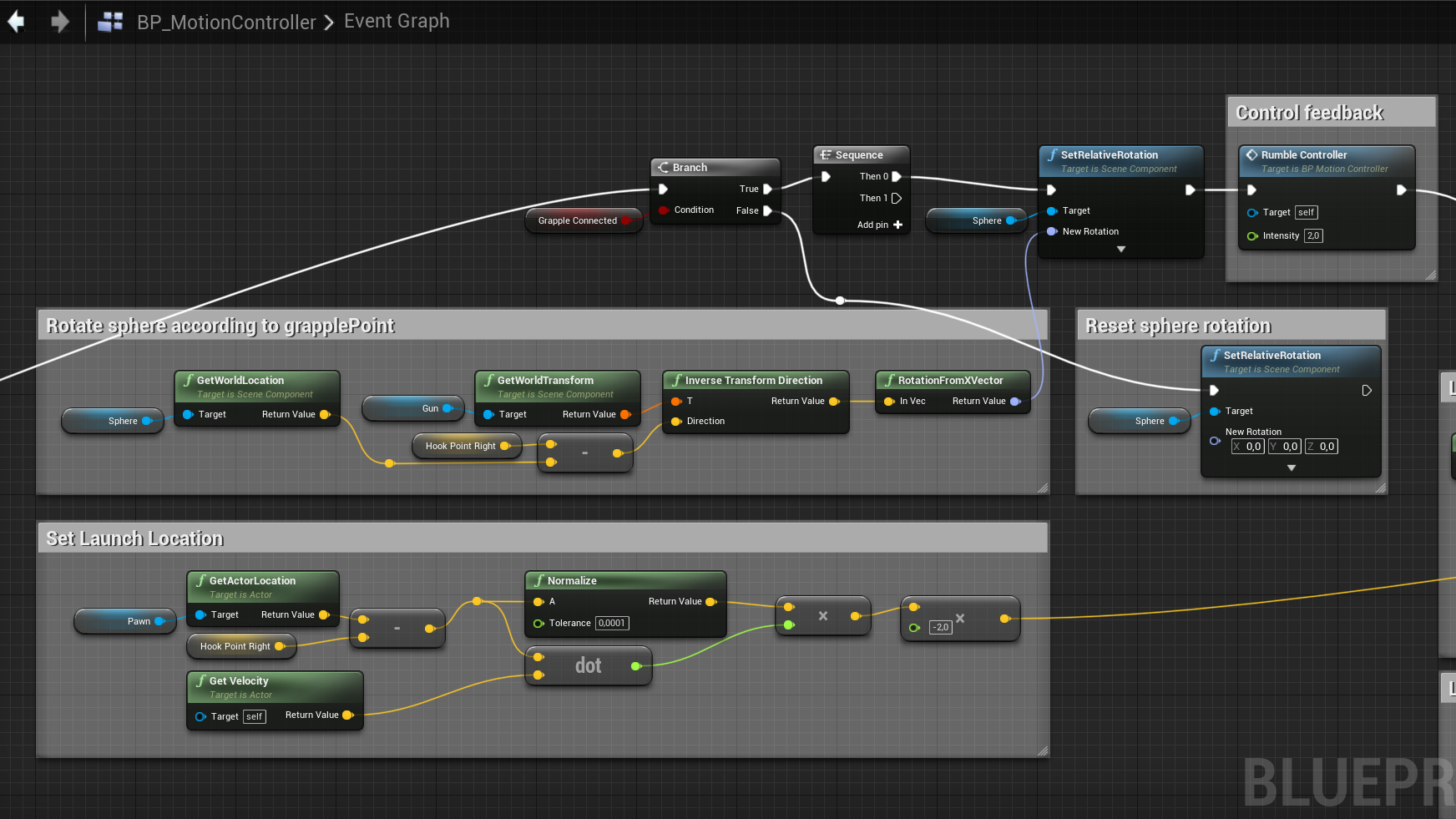
The core challenge was getting the player to launch toward the grapple point rather than in the gun's forward direction. The solution uses a sphere collider attached to the gun that rotates to face the line trace hit point. The GetWorldLocation of the sphere is subtracted from the HookPointRight to get a direction vector, which is then passed through InverseTransformDirection and RotationFromXVector to produce the correct rotation. On launch, the sphere's forward vector is multiplied by a GrappleForce variable and fed into two LaunchCharacter calls — one on the local pawn reference and one on the cast motion controller pawn — giving the player a smooth pull toward the target.
The "Set Launch Location" section calculates a velocity-compensated launch vector: it takes the normalized direction from the player's current position to the hook point, computes a dot product with the player's current velocity, scales it by -2.0, and uses the result to counteract momentum that would otherwise overshoot the target.
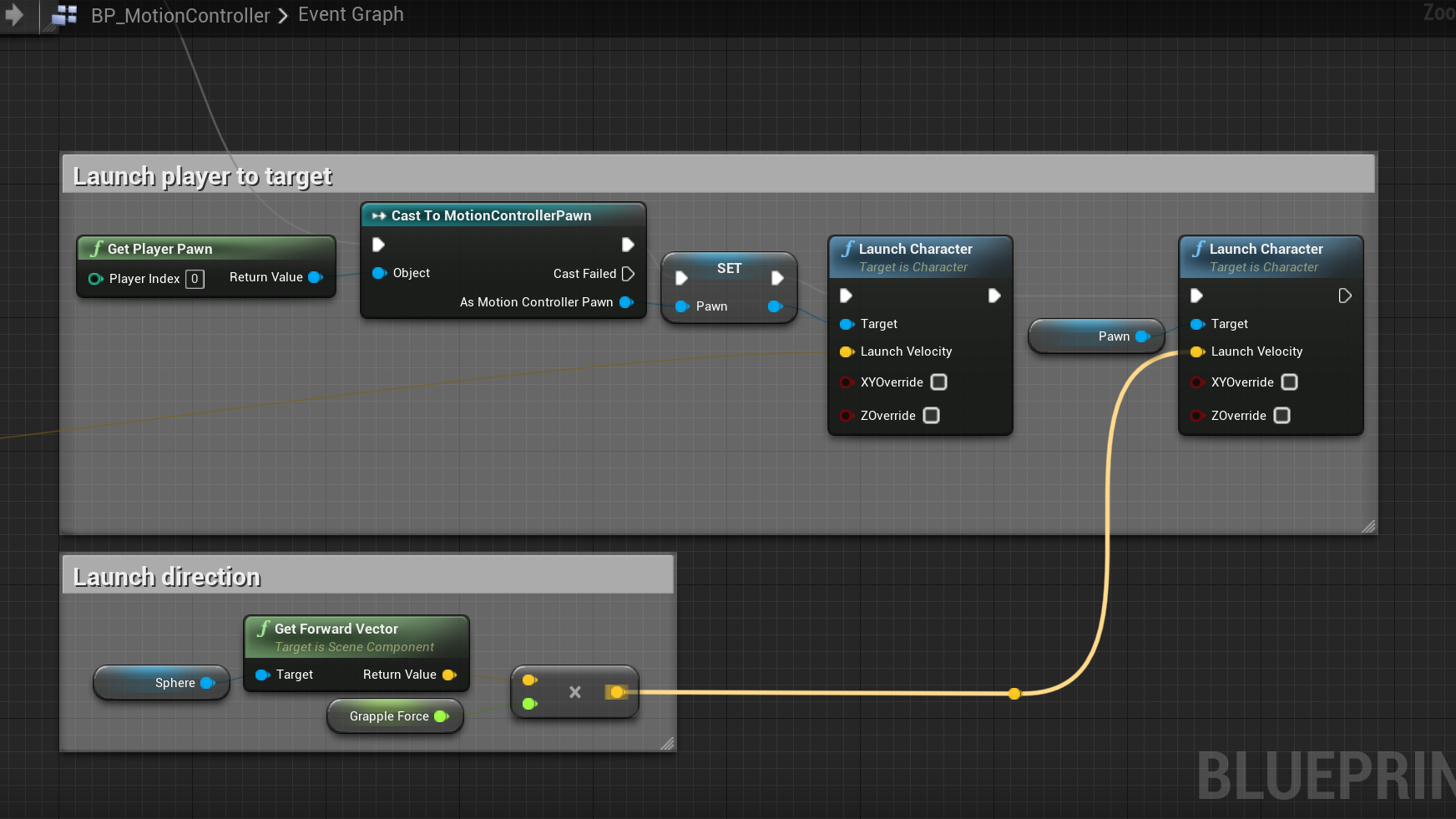
The launch execution casts GetPlayerPawn to the MotionControllerPawn, and LaunchCharacter is called twice — once on the local reference and once on the stored pawn. The launch direction comes from the sphere's forward vector multiplied by GrappleForce.
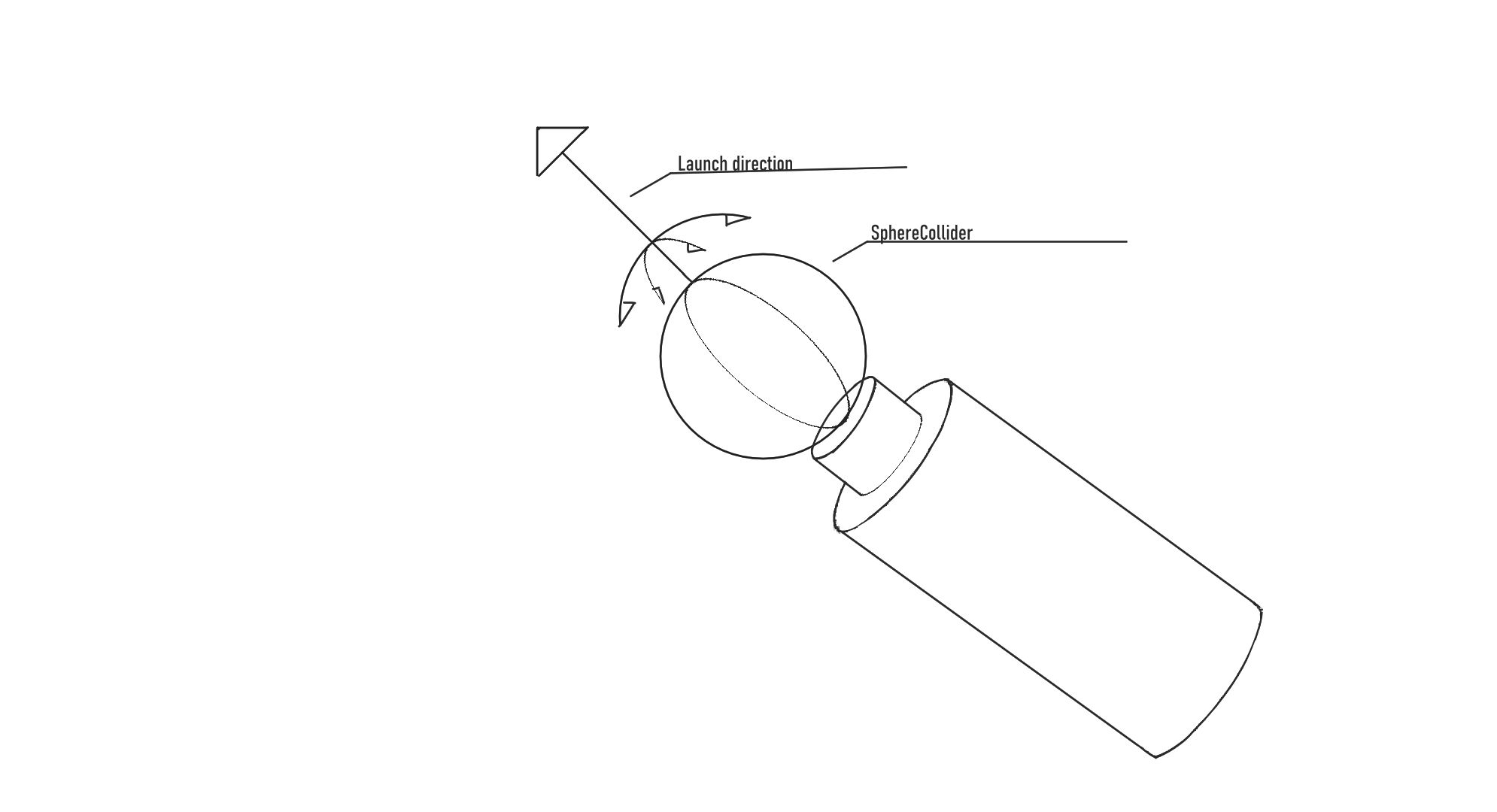
The sketch below shows the sphere collider mounted on the gun. It rotates to face the grapple hit point so the forward vector always points toward the target, which is then used as the launch direction.
Grapple Line — Line Trace & Cable Attachment
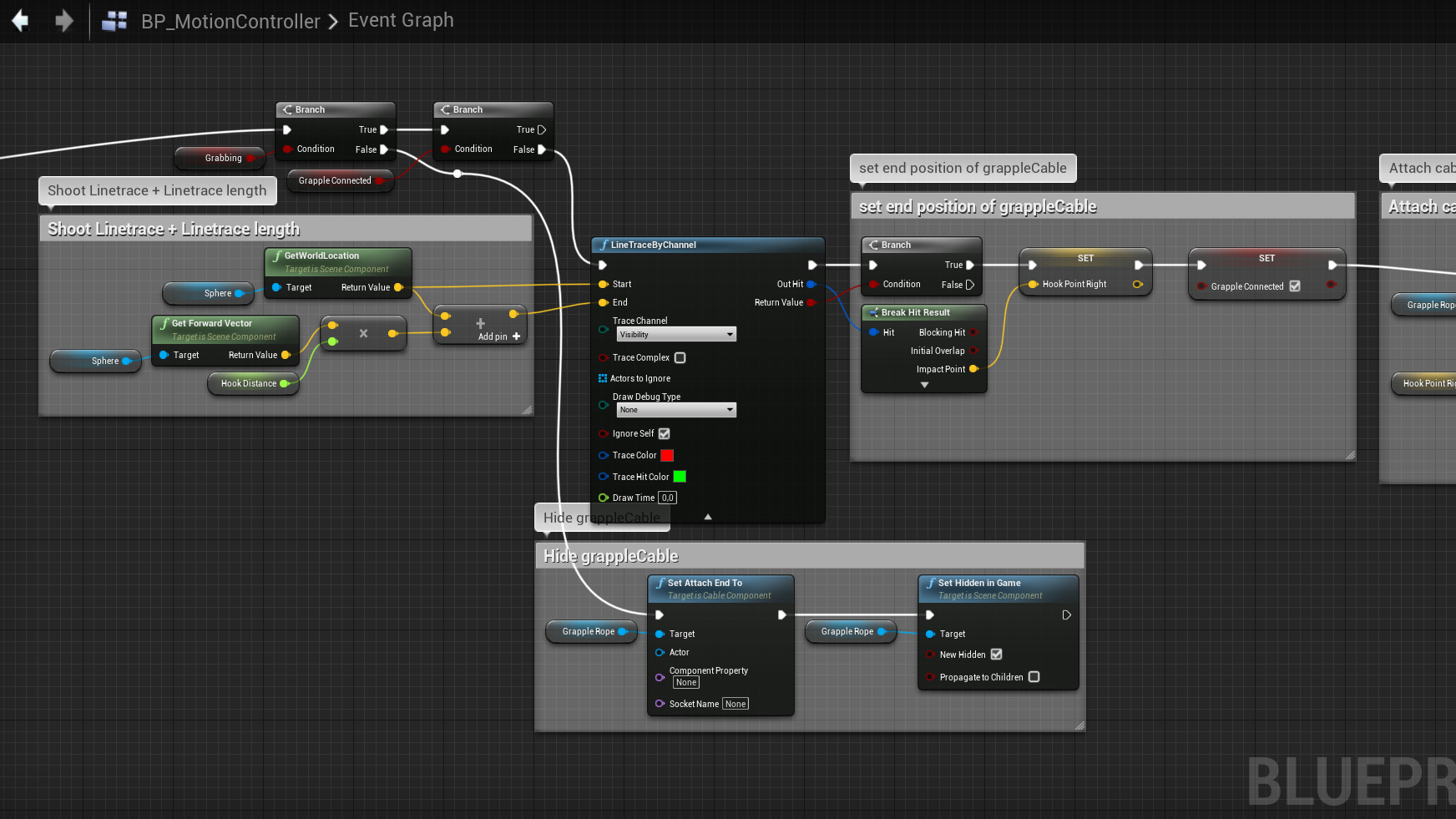
The grapple line system starts with two Branch checks: one for whether the player is grabbing the trigger, and one to verify a grapple isn't already connected. If both pass, a LineTraceByChannel fires from the sphere's world location outward along its forward vector, scaled by a HookDistance variable. The trace uses the Visibility channel with Ignore Self enabled.
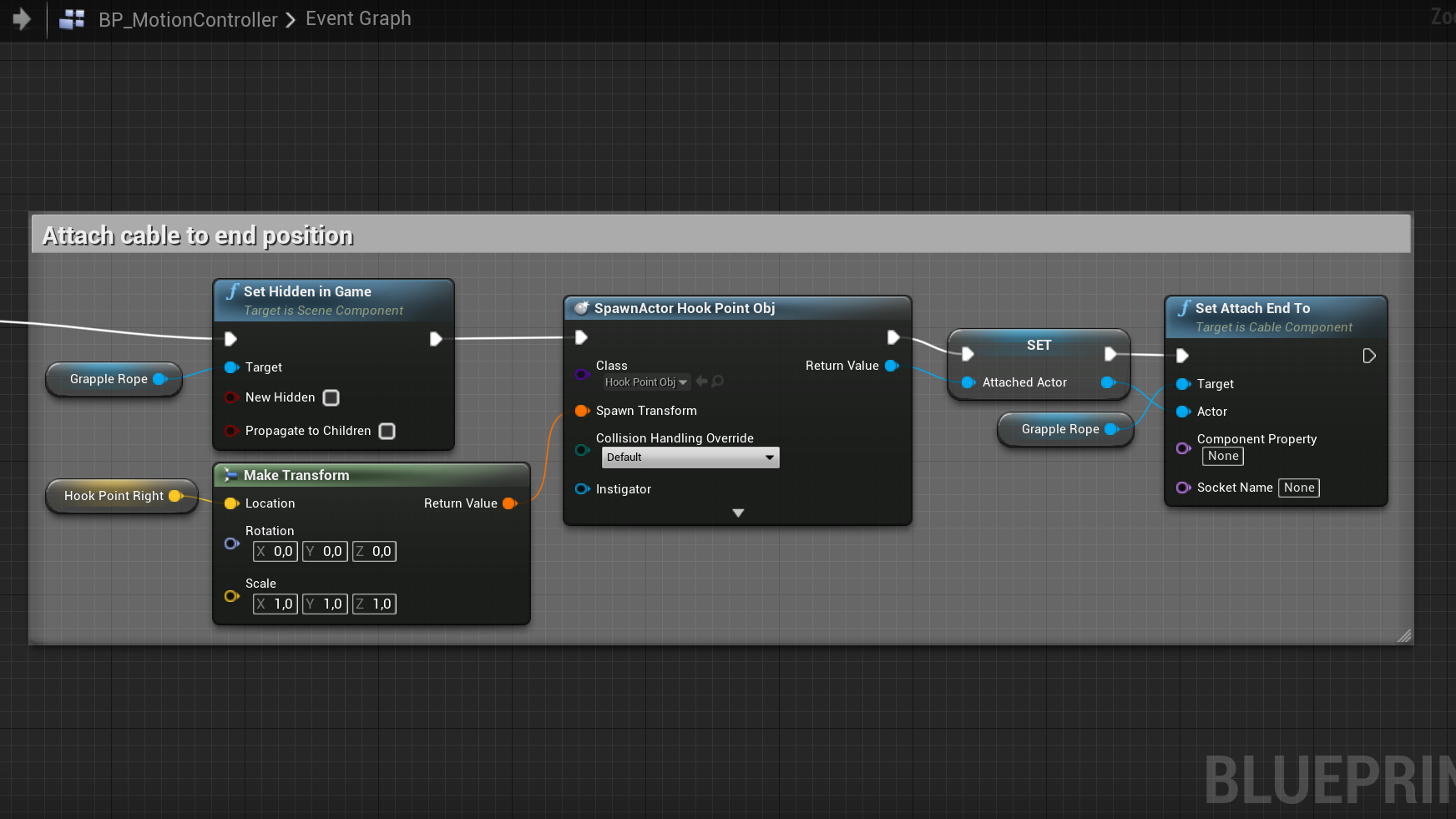
When the trace hits, a BreakHitResult extracts the impact point, which gets stored in HookPointRight. The GrappleConnected boolean is set to true. On the visual side, the grapple rope (a Cable Component) is first hidden and detached when not in use — SetAttachEndTo clears the end point and SetHiddenInGame hides it.
When a hit is confirmed, the rope is unhidden, a HookPointObj actor is spawned at the hit location using MakeTransform (with the HookPointRight position, zero rotation, and 1.0 scale), and the cable's end is attached to this spawned actor via SetAttachEndTo.